Skills are software
I taught my agent to gather everything I work on throughout the day and then organize and present it as needed. What started as an app ended as a simple set of components an agent assembles into UI on the fly. This left me wondering, are skills the new software?
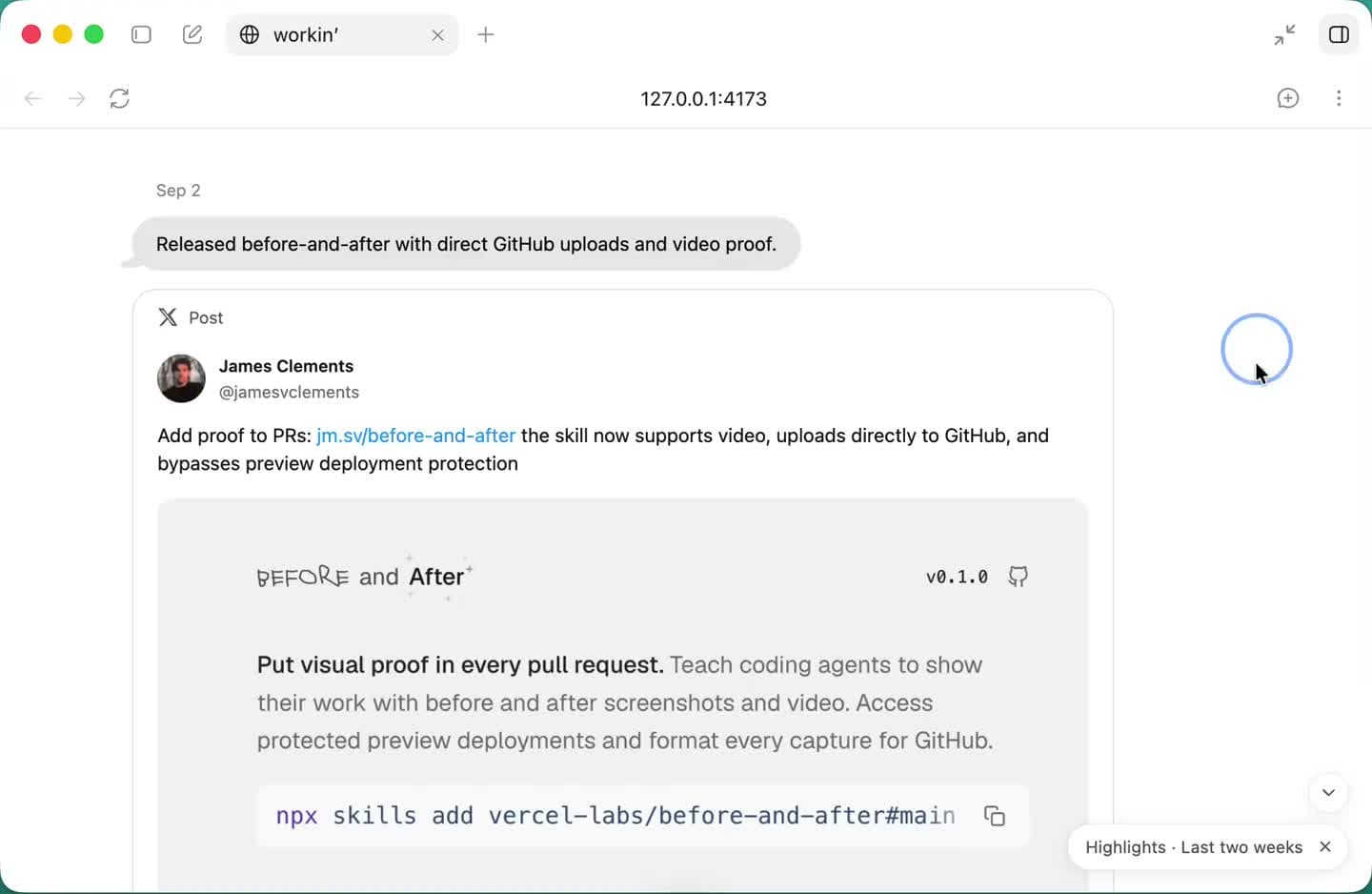
Workin' gathers all my work activity and rearranges it into threads and rich embeds so it feels like I'm reading iMessage
Why bother remembering?
Before I get all meta about the future of software, I should explain why I built this. Is my brain really so fried I can't remember what I work on?
Every Friday the design team at Vercel dumps images and videos of what we worked on into a thread. It's cool and useful and a little tedious. Some of the visuals help make our monthly reels. Because Workin' can quickly summarize my week and surface the attachments of the most impactful moments, it's now as simple as copying a few highlights from Workin' into the thread.
It's quickly proven useful beyond these weekly threads. Some squirrel-brained LLM slot dopamine days I kick off bug fixes and new ideas I’ve completely forgotten about by the next morning. With a reliable source of truth for every moment, it's easier to save sidequests from abandonment.
An agent is happy to use the same UI to present highlights from months of work. It can summarize an entire quarter of activity in a few messages. My teammate Skully even built a company skill that maps work back to the metrics used in performance reviews to make it easier to articulate the value of your work.
The atoms of work
Now that you are tepidly convinced why, let's discuss how. A work journal is only as useful as the data it presents. But gathering activity can be slow and spend an egregious number of tokens, so Workin’ caches it all locally. It runs periodically throughout the day to fetch newer activity. My agent can then use the local data to instantly adjust the view without gathering again or worrying about missing details.
My work is spread across Slack messages and their attachments, pull requests and their descriptions, and the occasional calendar event or Notion doc. For someone else it might be meeting transcripts and Salesforce activity. It doesn’t matter. What matters is finding the most efficient way to grab the minimal representation of a moment that provides enough context for meaning and easy recall, and then teaching your agent to grab it on schedule.
The signal
The full picture is valuable but noisy. There needs to be a way to determine how noteworthy a moment is. Engagement makes this fairly easy for things like Slack messages and tweets. More nuanced moments rely on the agent's intelligence and (oh dear) my own. With a little coaching it can learn to identify moments whose importance is inconspicuous, like the final pull request of a project or a nugget of wisdom dropped in a random channel.
Adjusting the view
Because the agent has the individual moments and control over how to present them it can adjust the view based on what I need. For example, before posting my weekly update, I ask to see the week in detail. Once I’ve read through and noted the highlights and themes, I ask to see a terse summary of the week with that framing.
Beyond periods of time, I can also ask to see moments about a specific project, or even collaborative moments with a specific coworker to help with peer reviews.
Why present it like iMessage?
“This app could’ve been an email dawg”
If you took a look at the demo you probably noticed that it looks exactly like iMessage and thought wow how uninspired. You might argue that this could just be a wall of text, a markdown document, or even some sort of custom interface with dials and filters. However consider that for many of us, iMessage is the most familiar conversational interface whose patterns have been hardwired into our brains through the exchange of a million blue bubbles. Also consider this: you're reading a personal blog post about a tool I built for myself. The mountainous valuations and acquisitions of personal AI assistants that users interface with solely through iMessage indicate others feel the same. Back in 2022 even decrepit green bubbles had their appeal if it allowed me to text myself. SMS and now iMessage as an interface is familiar, discrete, and fast.
Beyond soothing my brain with recognizable rectangles so it can focus on the real task, iMessage has two other patterns I love: threads and rich embeds.
Threads
Most work is made of many moments. An idea sparked in one channel becomes a handful of PRs across a mix of local sessions and cloud agents, which are reviewed in other threads and then shared about in yet another channel and maybe on X once launched. Threads do an awesome job at keeping those moments in one scannable timeline, making it easier to recall when something happened and see its past and future connections. It’s shocking how much this simple interface tells you:
Explored two ways to build the Storyblok partner page: existing marketing components vs. a content-only lander.
The bottom primary message and timestamp instantly drop you into the moment. The top secondary message adds the original context and the update count lets you know that it’s not the end of the story.
Rich embeds
Seeing an activity in its original form recalls the memory much faster than an LLMese summary. The most important moments are already carefully crafted Slack messages or PR descriptions that paint the picture far better than any wall of text could. With that in mind, the tool recreates moments in tidy versions of their original form.

New version of our /before-and-after skill is  , making it easier for agents to add visual proof to PRs. Try it out!
npx skills add vercel-labs/before-and-after#main- Files upload directly to GitHub with the new
gh --attach - Supports image and video
- Bypasses preview deployment protection using agent-browser's bundled skill
 13🖤4
13🖤4Add proof to PRs: jm.sv/before-and-after the skill now supports video, uploads directly to GitHub, and bypasses preview deployment protection
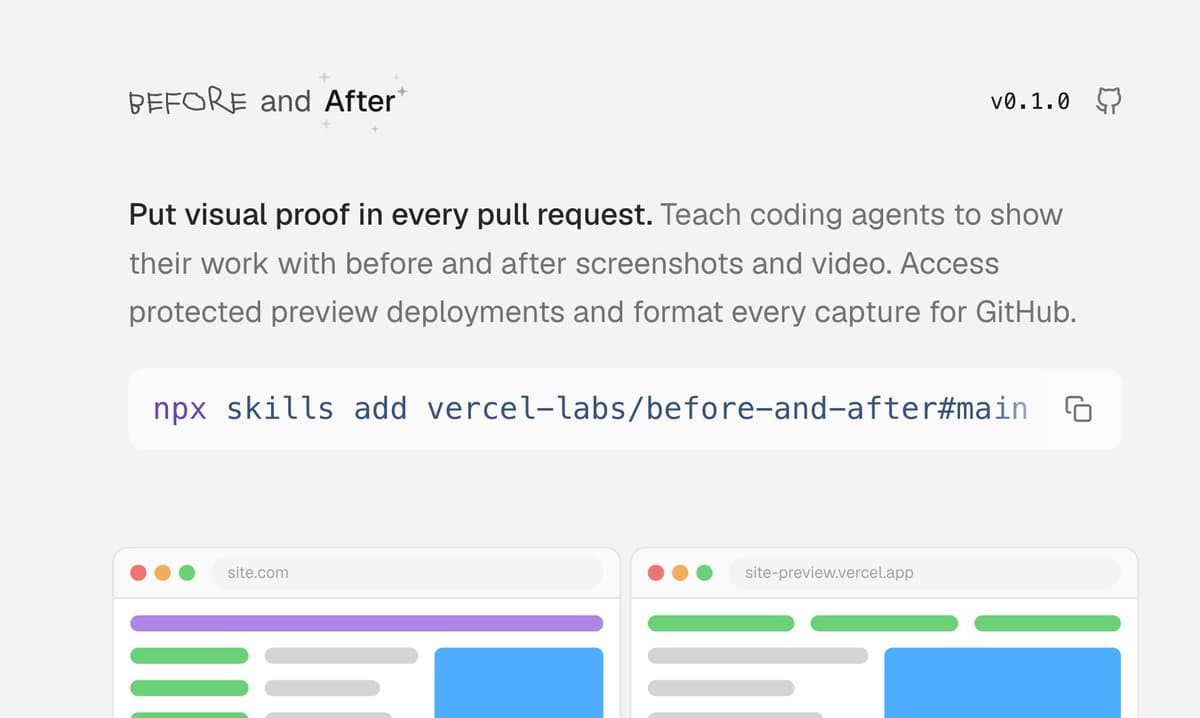
This is one area where Workin' outperforms iMessage. Instead of only images, videos, and link previews it can also show Slack messages, pull requests, tweets, and any other UI component provided to the agent.
At the end of the day I'm just giving my agent things to reply with other than text. That only felt obvious after building this tool, which tells me either I'm clueless or we're still very early in agent-to-human communication. Walls of text are not always the best format. Agents have the ability to mold the reply to whatever suits the moment. I even anticipate a world where companies expose their own components for agents to render in realtime.
A skill, not an app
The first version of Workin' was a personal skill called /this-week that gathered similar activity and dumped it into a Markdown file. It was useful but I still found myself opening the collected Slack messages or PRs to remember the moment. My next pass was a local app with iMessage-like components. But the moment I graduated my view toggle to a chat input and started hooking up AI SDK, I asked myself wtf am I doing? I don’t want to pick models and manage token spend and register an account. I just want my agent to use this thing.
What were the unique parts about the app? Guidance and UI. That’s it. It had advice on how to gather the moments and components to present them. Guidance for agents, known by nerds as skills, include their own scripts and references. So why can’t they ship with UI components too?
Inversion of ownership
This skill-first approach challenged my traditional way of thinking about how to build software. Previously engineers optimized for full featured experiences that begin with no context about the user. But in a world where people increasingly interact with their entire computer through their agent, effectively making Codex or Claude their operating system, the same requirements don’t apply. The agent already has intelligence and context about the user. It can control the experience. Instead, the skill provides guidance and UI to the agent, and the agent uses it to render software. Agent friendliness and taste become the edge.
Over time components rendered by agents might become a company’s primary interface, even more than their dashboard. With providers opening up plugin marketplaces and models making fast, type-safe decisions, I expect we'll see much more diverse, rich responses with realtime UIs soon.